Install GothClient As PWA
GothClient is available as a Progressive Web App for Chrome or Edge.
What Is A PWA?
A PWA, or Progressive Web App, is a platform-specific app that runs in a web browser like Chrome or Edge. It is a lighter, quicker download than a desktop installer. It offers most of the same features as a desktop app, including automatic updates, a desktop icon, badge notifications for the taskbar icon, and the option to run on device startup.
Install
Ensure you are using Chrome or Edge as your web browser
Open GothClient by selecting Log In from the menu at the top-right of this page.
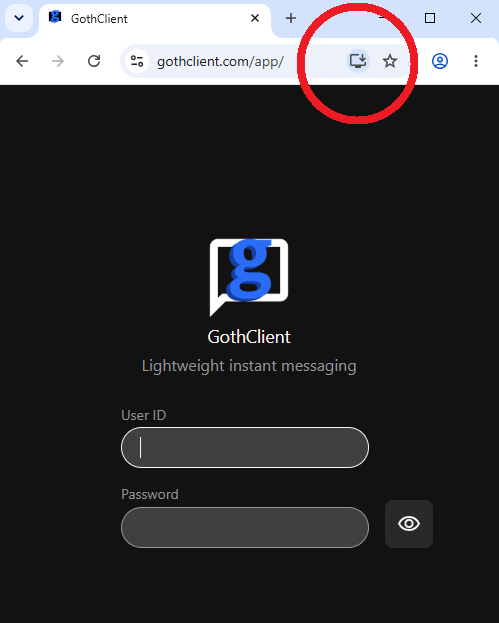
Your browser's URL bar should contain a download button. Click it.
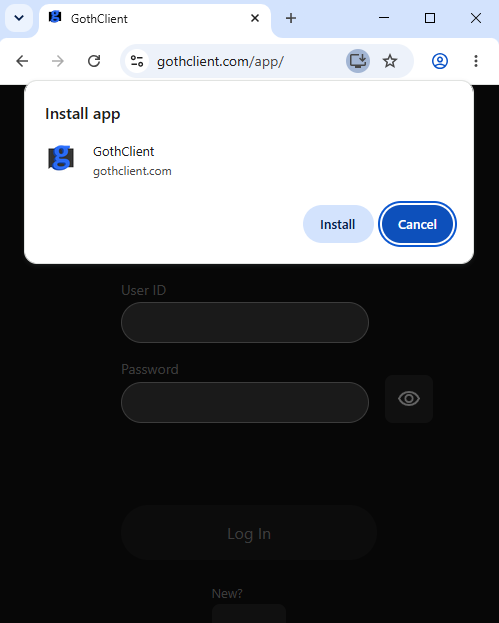
You should then be presented with the option to install GothClient. Click install.